
How it works
Spend a day
with hlth. coach.
From the moment you wake up to the end of the week, here’s what it reads and what it decides.

When you wake
It reads you.
Overnight data arrives from Apple Health or Oura: HRV, sleep and resting heart rate. Apple Watch, Garmin, COROS, Polar and Strava come in through Apple Health.


Over breakfast
It makes today’s call.
One line on the home screen: train as planned, ease off, or recover. Readiness, HRV, sleep and resting heart rate sit right underneath it.
Before you train
It shows the working.
Every session carries the reason it looks the way it does, and the signal behind it.
Easy Run, as the session describes it
Heart rate 120 to 140 bpm: Conversational pace. Not a jog, not a walk. Continuous effort.

At lunch
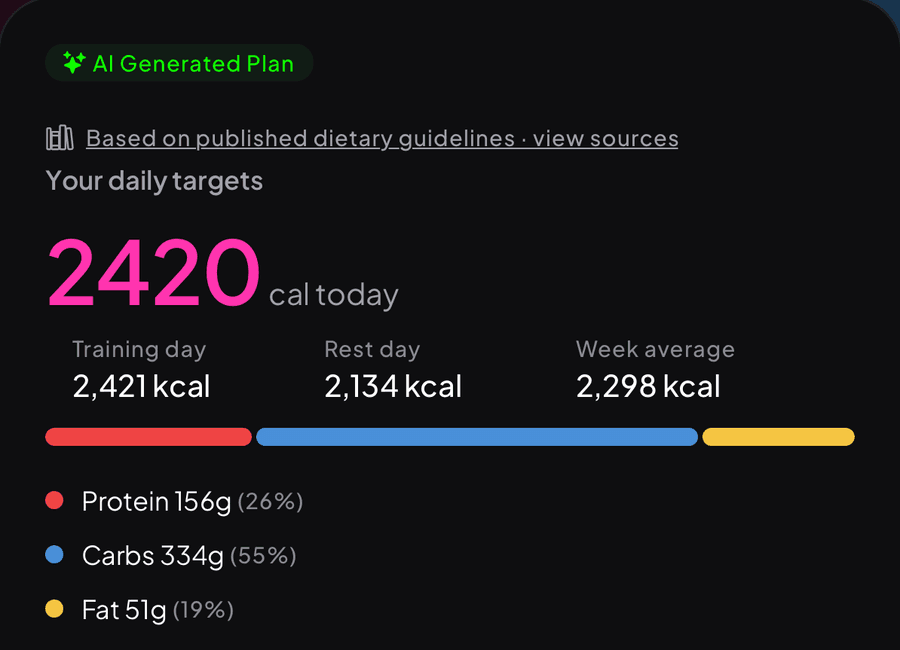
Food follows the session.
On a training day your targets go up to fuel the session. On a rest day they come back down. Protein, carbs and fat are set from published dietary guidelines.
Through the week
It learns your baseline.
Today’s HRV is read against your own seven-day average. The longer you wear it, the more personal the calls get.
Wellness signals, not a diagnosis. If a reading looks unusual for you over several days, talk to your GP.


Along the way
Milestones you earn.
Fifty workouts, a 30-day streak, HYROX ready. Unlock them as you train and share them when you do.
Getting started
Four steps
to your first call.
01
Download
A$0.99 on the App Store, once.
02
Tell it about you
Your goal, your week and how you train.
03
Connect
Apple Health or Oura. Or skip it and enter data manually.
04
Open it tomorrow
Your first call is waiting in the morning.